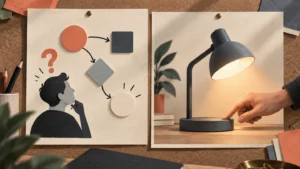

Choose an explainer when the buyer needs to understand the problem, the idea or why a solution matters. Choose a product demo when the buyer needs to see how a specific task works. If both questions matter, plan a clear overview and a focused demonstration, with a useful route between them. Decide what the viewer needs to learn before choosing a visual style or asking for a runtime.
The terms can overlap. An explainer may include a demonstration, and a demo may need an opening explanation. A more useful production brief describes the question the video must answer and what the pictures need to show.
Start with the question the buyer cannot answer yet
Ask the people who speak with prospective customers what needs explaining before a useful conversation can begin. Separate uncertainty about the purpose of the product from uncertainty about its operation.
For a hypothetical scheduling tool, “Why would our team change its current process?” suggests an explanation of the problem and proposed approach. “How does someone move an appointment?” calls for an actual task demonstration. A polished overview of the first question would still leave the second unanswered.
Write the chosen question into the video production brief. Include what the viewer already knows, where they will encounter the video and the decision it should help them make.
Decide which scenes explain and which scenes demonstrate
For an explainer, outline the situation, the idea and the relevant use. Give the viewer enough context to understand the proposed solution without making every feature part of the story.
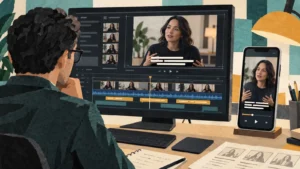
For a demo, identify the actual starting point, action and visible result. Confirm that the product and recording environment can show that sequence accurately. Our product demo planning guide covers preparation for showing real operation.
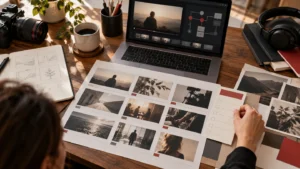
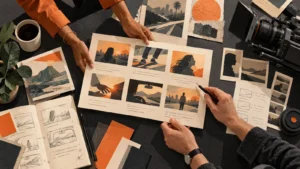
Review the storyboard scene by scene. Mark whether each picture is a conceptual illustration or a record of the product working. A diagram can clarify an idea, but should not quietly stand in for an unverified performance claim.
Choose the visual treatment after the job is clear
An explainer does not have to be animated. A person, a physical example, screen footage or a combination may communicate the idea. Likewise, a demonstration may need graphics to identify a detail without replacing the action the buyer needs to see.
Use our animation and live action comparison to discuss what the audience needs to see. If an internal process or abstract relationship needs illustrating, discuss the options with the animation and motion graphics team.
Keep the distinction visible in review: an illustrative interface or imagined workflow should not be presented as a recording of a released product.
If you need both, give each video a clear destination
Plan an overview for the person deciding whether to learn more, then a focused demonstration for the person checking a specific task. Agree how a viewer reaches the relevant next piece, whether through the surrounding page, a clear link or the sales team’s follow-up.
Avoid two videos that repeat the same opening and never reach different answers. Write a separate question and next step for each. Confirm that the publishing team can support the planned route before the closing frames are approved.
Review the cut against what the buyer should understand
Ask reviewers to identify the question they believe the video answered and which scene supplied the answer. If the explainer is attractive but the proposition remains unclear, revisit the explanation. If the demo asserts ease of use without showing the relevant task, revisit the demonstrated sequence.
Confirm product wording and visible behavior with the responsible product reviewer. Keep unsupported outcomes and invented customer results out of both formats. Approval should cover the exact version being delivered.
Which should we make first?
Start with the question that currently prevents the intended audience from taking the next useful step. If buyers cannot understand the proposition, an overview may be the priority. If they understand it but need to inspect operation, plan the relevant demo. Confirm the choice against real buyer conversations rather than a format preference.
Can one video do both jobs?
Yes, if the explanation and demonstration form a coherent sequence for the same viewer. Outline the transition and test whether the actual task remains understandable. Separate pieces may be more useful when the audiences, destinations or questions differ substantially.
Email brian@boltworldwide.com with the buyer question, the product or service and what can be shown accurately. Choose the assignment first, then plan the production around it.