Plan audio description before filming when a viewer needs to see an action, label or result to follow the instructions. Put essential visual cues into the main narration when they fit naturally. If the cues need more time or would interrupt important dialogue, plan space for added description or a separate described version.
Listen to the script without the picture
Read the narration aloud without showing the storyboard. Ask someone unfamiliar with the task to explain what to do, what to look for and how to tell whether it worked. Mark each step they cannot reconstruct from the audio. Those are the moments to discuss with the scriptwriter, trainer and producer.
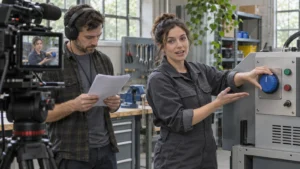
Imagine a training video for a fictional tabletop label printer. The presenter says, “Turn this until it lines up.” The picture shows a blue dial and a white alignment mark, but the audio leaves the viewer guessing. The presenter could say, “Turn the blue dial until its white mark lines up with the arrow.” Confirm the wording against the actual device before filming.
The Web Accessibility Initiative guide to describing visual information shows ways to include description in the main script or add it to a video. Use that distinction to decide which details the presenter can say naturally and which need their own space.
Give each cue time to be heard
Write the cue where the learner needs it. If the learner needs to identify a control before using it, name the control before the action starts. If a display tells the learner that a step worked, give them enough time to hear the confirmation before the video moves on.
If the main soundtrack needs to keep a conversation or demonstration intact, mark where added narration can fit. Have the producer check whether the shot can hold long enough or whether the described version needs a different edit. Decide that while the shot is still easy to plan. Bolt’s guide to choosing a presenter or voiceover can help when you are deciding who will explain each step.
Review the exact version learners will use
Play the final version without looking at the picture. Ask a reviewer to follow the key steps using the audio alone. Then check the same moments with picture and sound together so the words identify the correct control, label or result at the right time.
If you are delivering a described version separately, confirm learners can find and play it in the actual destination. Keep its file and review record with the main version. When an instruction changes later, check both versions against the revised step. See Bolt’s guide to planning training video updates before filming.
Audio description and captions solve different viewing needs. If you are delivering both, assign a separate check for the captions against the approved export. Bolt’s caption delivery guide covers that review.
If you’re planning an instructional video, explore Bolt’s video production services or email brian@boltworldwide.com with the steps learners need to follow and where they will watch.