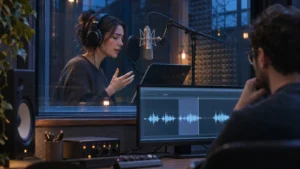

Approve picture lock when you can sign off on a named cut: what the viewer sees and understands, the order and length of the shots, and which versions are covered. Hold approval if an open decision could change any of those things. Color, sound and graphics can still be in progress if everyone agrees on what they need to do and the work fits the approved cut.
Review the cut you are actually approving
Watch the whole version once without stopping. Can the intended viewer tell what is being shown, why it matters and what to do next? Then check the moments that carry the story or the claim. Does a product demonstration show the step that makes the result believable? Does a caption appear long enough to read? Can you follow the story without someone from the brand explaining it?
Put the version name in the approval. If there is a main film and a shorter cut, name which one is locked and which one is still open. A short version might lose the setup that makes a claim clear in the main film. Check it on its own before giving it the same approval. For the overall sequence, see Bolt’s guide to video post production.
Separate finishing notes from reasons to hold
A useful question for each note is: could this change what the audience sees, understands or has time to read? For example, suppose a team has approved a product demo with a temporary lower third. If the final design uses the same wording and fits the same space and timing, the team can record the graphics change as finishing work. If the wording still needs a qualification and the audience may need more time to read it, keep that part of the cut open.
Use the same test for missing footage. An alternate shot may fit the existing timing and still show the same action, but the team should see that replacement before approving the cut. If the sequence needs an extra step or a different ending to make sense, settle that edit first. Bolt’s guide to planning additional filming around missing information can help if the needed shot does not exist.
Before calling a note resolved, check it against the intended export. A temporary music cue might simply need replacing, but if the edit depends on its beats, hear the proposed track against the cut before signing off on the timing.
Leave a handoff the next team can use
Write down the approved file or review link, the versions covered and the finishing items still due. Give each item an owner and a clear description of what stays fixed. Note which shots use temporary graphics or sound, and what the team expects to replace. If a cut is ready for grading, give the color reviewer the same reference version and agree on what to check in the color review.
If a late note does change the cut, describe the affected moment and which versions use it before asking for a new export. Have the editor and the relevant finishing leads confirm what needs another pass. Approve the revised cut by name so nobody works from the superseded version.
If your brand team needs help taking a cut into finishing, see Bolt’s post production services or email brian@boltworldwide.com with the versions you need and what is still open.